


Ask any security team where their SSN data lives. Then watch what happens next.
Someone opens the S3 view. Someone else checks Google Drive. Someone pings the data team for an export that will take two days to arrive. Nobody has the full picture, and most sensitive data questions go unanswered or get answered too late to matter.
This is how most organizations operate today. Sensitive data is spread across cloud storage, SaaS platforms, and collaboration tools, put there by employees who had no particular reason to think twice. SSNs in a shared Drive folder. Credit card data in an S3 bucket left over from a migration. PII in a SharePoint site that half the company can access. The data is there. Your team knows it is there. The problem is that seeing it, understanding it, and acting on it has required stitching together fragmented views from separate interfaces, a process that takes hours and goes stale the moment anything changes.
That is the problem Data Explorer and AI Search were built to fix.
One Place to See Everything You Have
Data Explorer gives you a single, browsable view of every file, table, and object Teleskope has scanned across all of your connected sources at once, without having to go source by source.
Most security teams do not have a complete picture of what sensitive data exists in their environment, where it lives, and what risk it carries. That context used to take hours to piece together. Data Explorer gives you that picture instantly.
Every resource in the catalog shows its sensitivity level, which types of sensitive data were detected inside it, which connector it came from, and whether there are any active policy violations. Click any row and a detail panel opens with the full story: exactly what sensitive data is in the file and how much of it, who has access and whether any of those permissions are a problem, and which policies it is violating and why. What used to mean pulling a file, sampling it, and cross-referencing your access logs is now in one place.
For a team responding to an audit request or tracking down an exposure, this cuts investigation time dramatically.
Data Explorer is available now for S3, Google Drive, and SharePoint, with additional connectors rolling out soon.
Get Answers to Your Most Pressing Security Questions Instantly
Security engineers know exactly what they need to find. Which files containing SSNs are accessible to external users? Which S3 buckets have credit card data and active policy violations? Where does health information live across our connected sources? These are precise, urgent questions. The problem has never been knowing what to ask, it has been that getting an answer requires translating a security question into filter logic, data element taxonomy, and connector-specific navigation before you can see a single result.
AI Search removes that translation entirely.
Type your security question in plain English and get results across your full data catalog in seconds. The tool interprets what you are asking, runs it across your connected sources, and surfaces the relevant resources directly. No filter configuration. No knowing how data elements are categorized. No switching between connectors to piece together a complete picture.
The results include a plain-language summary of how the query was interpreted, so your team can verify the logic and refine if needed. That transparency matters when you are pulling evidence for an incident response or building a report for a compliance review. Teams using AI Search report cutting report generation time by more than half.
That speed is not incidental. Data Explorer is built on a high-performance data infrastructure designed to query across large, distributed data estates in real time. Whether you have thousands of assets or millions, results come back in seconds.
The most pressing security questions deserve fast answers. AI Search makes sure they get them.
Know Which Files to Fix First
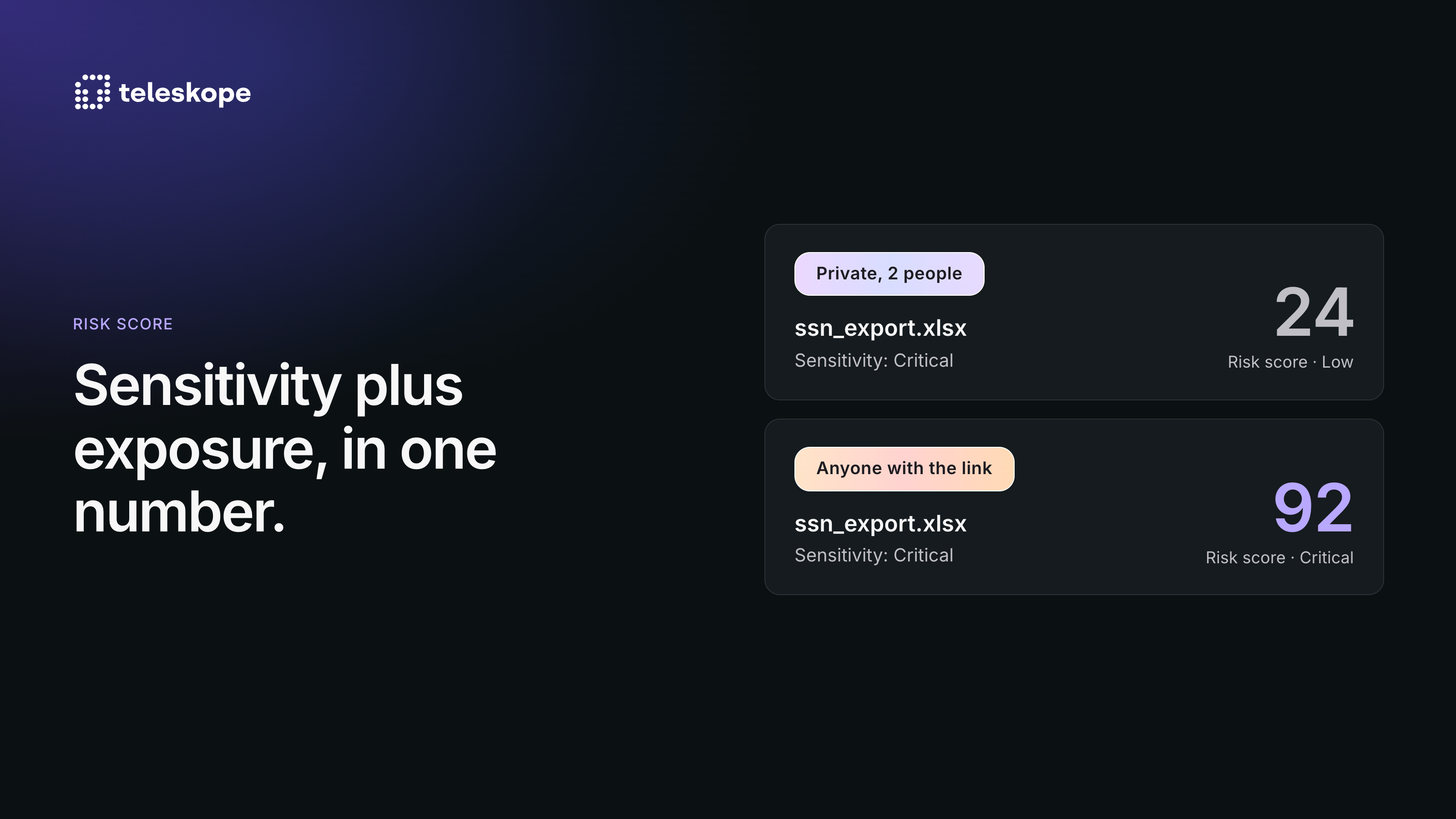
Sorting by sensitivity alone gives you a pile, not a priority list. A scan of a large environment can return tens of thousands of "critical" resources, and most of them are fine.
Risk Score combines what sensitive data a resource contains with how exposed it is (public links, organization-wide sharing, external collaborators, and other access signals) into a single score. A highly sensitive file nobody can reach should rank below a moderately sensitive file shared with the world, and Risk Score is built to reflect that.Every score comes with its reasoning. Each resource has a Risk tab showing what produced its score: the exposure signals that applied, the data elements detected, the document types identified, and the sensitivity assigned to each.
The model is yours to tune. On a dedicated risk configuration page, you can set the balance between sensitivity and exposure and adjust the weight of each signal, then preview the effect on your own data before it takes effect. Compliance framework amplification for GDPR, CCPA/CPRA, HIPAA, PCI DSS, and DPDP is off by default; turn on only what applies to you.
Risk Score is also what Kosmo, Teleskope's remediation agent, works from. Ask "what are my riskiest files" and the answer is ranked by Risk Score, with any fix still proposed for your team's approval.Risk Score is live in Data Explorer.
Sensitive data does not become less risky because it is hard to find. It becomes more risky. Complete visibility across your data sources, instant investigation context on any resource, and a search experience your whole team can actually use, that combination is what it looks like to have the problem solved.
To see it in your environment, reach out to set up a demo at https://www.teleskope.ai/book-a-call.