


TL;DR: Data sprawl is the uncontrolled spread of data across systems, apps, and environments, expanding attack surfaces, creating compliance gaps, and driving up breach costs. Getting control requires continuous discovery, classification, and automated lifecycle enforcement rather than one-off cleanup projects.
“Data is our most valuable asset.” Business leaders love that line. Security teams? Not so much. From a CISO's chair, every redundant copy, every orphaned SharePoint site, and every chat thread with a plain-text password is a liability. The more you accumulate without governing it, the bigger the target you become. That uncontrolled accumulation is data sprawl, and it's growing faster than any security team can manage manually.
This guide breaks down where sprawl shows up, from database sprawl and SharePoint sprawl to Microsoft Teams sprawl and sensitive data sprawl. It covers the concrete risks each one creates. Then it walks through how to get control across the full data lifecycle, so your team spends less time chasing redundant files and more time reducing actual risk.
What Is Data Sprawl?
The term gets thrown around alongside others like “cloud sprawl” and “shadow IT,” but it refers to something more specific and, for security teams, more consequential.
Data Sprawl Defined
Data sprawl is the uncontrolled spread and accumulation of data across systems, locations, formats, and devices, both on-premises and in the cloud, inside and outside the organization's direct control. It covers structured data sitting in databases (sometimes called database sprawl when it affects data stores specifically) and unstructured data like documents, emails, chat messages, and shared files. Unstructured data is the harder half to see, and it's usually where the biggest exposures hide. Organizations struggling with unstructured data discovery often find that the majority of their sensitive data sprawl lives in places that no one has inventoried in months or years.
Data sprawl is not the same as cloud sprawl (too many cloud accounts) or shadow IT sprawl (unapproved apps). Data sprawl is the data itself, duplicated and scattered across every environment, often without any reliable inventory of what exists or where it lives.
Why Data Sprawl Is Accelerating
A structural shift is driving this. On-prem storage used to impose a natural ceiling because when the disk was full, you had to stop. Cheap, elastic cloud storage removed that ceiling entirely. Teams can spin up new repositories, copy datasets, and share files with zero friction and zero cost pressure to clean up afterward.
Here are the forces that have compounded on top of that shift:
- SaaS proliferation: Data lives across dozens (sometimes hundreds) of applications, each with its own permissions model and retention behavior. Microsoft Teams sprawl and SharePoint sprawl are two of the most common examples, where channels, sites, and shared folders multiply faster than any governance policy can keep up with.
- Multi-cloud and hybrid environments: These multiply the locations where copies of the same data can land, making it harder to answer the basic question of what data sprawl is costing you in terms of risk.
- Remote and hybrid work: Sensitive content gets pushed into personal devices, home drives, and collaboration tools that IT never provisioned.
- Shadow IT: Unapproved apps and services generate and store data outside any governance framework, creating pockets of sensitive data sprawl that security teams can't see.
- Unmonitored duplication: Teams copy files across tools for convenience, creating copies that outlive their usefulness but never get deleted.
According to DataStackHub's cloud usage research, the average enterprise now uses over 130 SaaS apps, up from 97 in 2023. Every one of those apps is a place where sensitive data can land, duplicate, and sit unmanaged indefinitely.
{{banner-large="/banners"}}
Types of Data Sprawl and Where It Shows Up
Data sprawl takes different forms depending on the systems involved, and each form creates its own set of problems. Here's where it tends to concentrate and why each type deserves attention on its own.
Database Sprawl
Database sprawl is the steady buildup of redundant, single-purpose, and duplicate databases scattered across your stack. You've got operational databases, analytics copies, caching layers, search indexes, and disaster recovery replicas, each one holding some version of the same data. Over time, nobody can say with confidence which copy is authoritative, and that uncertainty slows down every decision that depends on accurate information.
The usual culprits behind database sprawl include mergers and acquisitions (you inherit an entire second stack overnight), the absence of formal technology standards across teams, and the “best tool for the job” mindset that leads every group to spin up its own database. Add replication for failover, and a single dataset can exist in five or six places before anyone notices. Each copy carries storage cost, management overhead, and, if it contains sensitive records, regulatory exposure.
SharePoint Sprawl and Microsoft Teams Sprawl
SharePoint sprawl is what happens when sites multiply without governance: redundant content, outdated documents, orphaned sites with no clear owner, and dozens of duplicate versions of files sitting in libraries nobody visits anymore. It's the digital equivalent of a filing cabinet that hasn't been cleaned out in a decade, except this one is accessible to hundreds of people across your organization.
Microsoft Teams sprawl is closely related but harder to spot. Every time someone creates a Team for a short-term project, Microsoft Teams automatically provisions a Microsoft 365 Group, SharePoint site, and shared mailbox behind the scenes. Multiply that across hundreds of projects, and you have a Microsoft Teams sprawl problem that's largely invisible to the people who created it.
Permission creep and oversharing are natural byproducts of both SharePoint sprawl and Microsoft Teams sprawl. When AI copilots are layered on top of this ungoverned content, they don't fix the mess. They surface and amplify it, pulling stale or sensitive files into answers because access controls were never tightened.
Sensitive Data Sprawl
Sensitive data sprawl is specifically about PII, PHI, PCI data, and intellectual property that has been copied, forwarded, downloaded, and scattered across repositories with no reliable inventory. It's the subset of data sprawl that turns a storage problem into a regulatory and security problem, and it tends to grow fastest in organizations where collaboration tools are widely adopted but loosely governed.
What makes sensitive data sprawl more dangerous than general sprawl? Every additional location holding sensitive records widens the blast radius of a breach and creates direct exposure under frameworks like GDPR, HIPAA, and CCPA. One CISO summed it up bluntly: “The more data you have, the bigger a target you are.” When you can't tell where your sensitive records live, you can't protect them, fulfill deletion requests on time, or scope a breach accurately when one occurs.
Oversharing is often the leading indicator here. A file shared too broadly today becomes tomorrow's sensitive data sprawl when it gets copied to a personal drive, forwarded to an external collaborator, or ingested by an AI tool nobody on the security team approved. Organizations that rely on manual processes to track these movements will always be a step behind, which is exactly why automated remediation is becoming a requirement rather than a nice-to-have.
The Risks and Challenges of Data Sprawl
Data sprawl isn't just a storage nuisance. It creates concrete, measurable risk across security, compliance, and operations. Here's where it hits hardest.
Expanded Attack Surface and Breach Risk
Every additional location holding copies of your data is another place an attacker can reach. Consistent security controls are difficult enough to enforce across one environment. Spread the same records across dozens of SaaS apps, cloud buckets, collaboration channels, and on-prem file shares, and maintaining consistent protection becomes nearly impossible. A single misconfigured cloud repository can expose millions of records, and when data is fragmented across that many locations, your team may not even know the exposure exists until someone has already exploited it.
According to IBM's 2025 Cost of a Data Breach Report, the global average cost of a data breach is $4.4 million. The same report found that 97% of organizations that suffered an AI-related breach lacked proper AI access controls.
The more data an organization holds, the more individuals it must notify, the more jurisdictions it must report to, and the longer containment takes. Minimizing data minimizes the blast radius.
Compliance and Governance Gaps
If you don't know where a person's records live, you can't fulfill a data subject access request under GDPR or CCPA. When sensitive data sprawl pushes PII and PHI into repositories with no clear owner, every regulatory obligation becomes harder to meet, from deletion requests to retention enforcement to audit evidence and breach scope reporting.
Inconsistent retention is another symptom. One team keeps client records for three years while another team's copy of the same records sits untouched for fourteen. Without enforced lifecycle policies, audit exposure accumulates silently. It surfaces at exactly the wrong moment: during an inquiry, a litigation hold, or a regulatory examination.
Cost, Inefficiency, and Weakened Data Quality
Redundant storage costs compound quietly. Every unnecessary copy of a file carries storage fees, backup costs, and licensing overhead. At enterprise scale, that adds up to a significant budget consumed by data that serves no business purpose.
The downstream effects go beyond cost. When analytics platforms and AI models draw on unmanaged, duplicated, stale content, the outputs degrade. Teams lose confidence in dashboards because nobody can confirm which dataset is the authoritative source. Decision-making slows, and the value organizations expect from their data investments erodes.
To gauge how much database sprawl is costing your organization operationally, run through this quick assessment:
- Identify your top five repositories: Cloud storage, databases, and collaboration tools like Microsoft Teams or SharePoint are where sensitive data is most likely to be duplicated.
- Estimate copy volume: How many copies of your most critical datasets exist across those repositories? Note which ones have a designated owner.
- Check retention settings in each location: Flag any repository where retention is either undefined or set to “keep forever.”
- Catalog the last review date: When was each repository last reviewed for stale, orphaned, or redundant content?
- Calculate the manual labor cost: How many hours does your team spend per month on triage, data subject requests, or audit evidence gathering tied to data you can't quickly locate?
If most of the answers come back as “we don't know” or “never,” you have a clear picture of where SharePoint sprawl, Microsoft Teams sprawl, and unchecked duplication across other platforms are quietly draining budget, eroding data quality, and expanding your exposure without anyone signing off on it.
{{cs-1="/banners"}}
How to Manage Data Sprawl Across Its Lifecycle
The playbook below follows a crawl, walk, run sequence: Build the inventory first, enforce governance second, then shift from periodic projects to continuous enforcement.
Discover and Classify Your Data
You can't govern what you can't see. Step one is automated data discovery and classification across every environment (cloud, on-premises, SaaS, and collaboration tools) to build a live inventory of what exists and where it lives. Manual audits fall behind the moment they finish because data keeps moving.
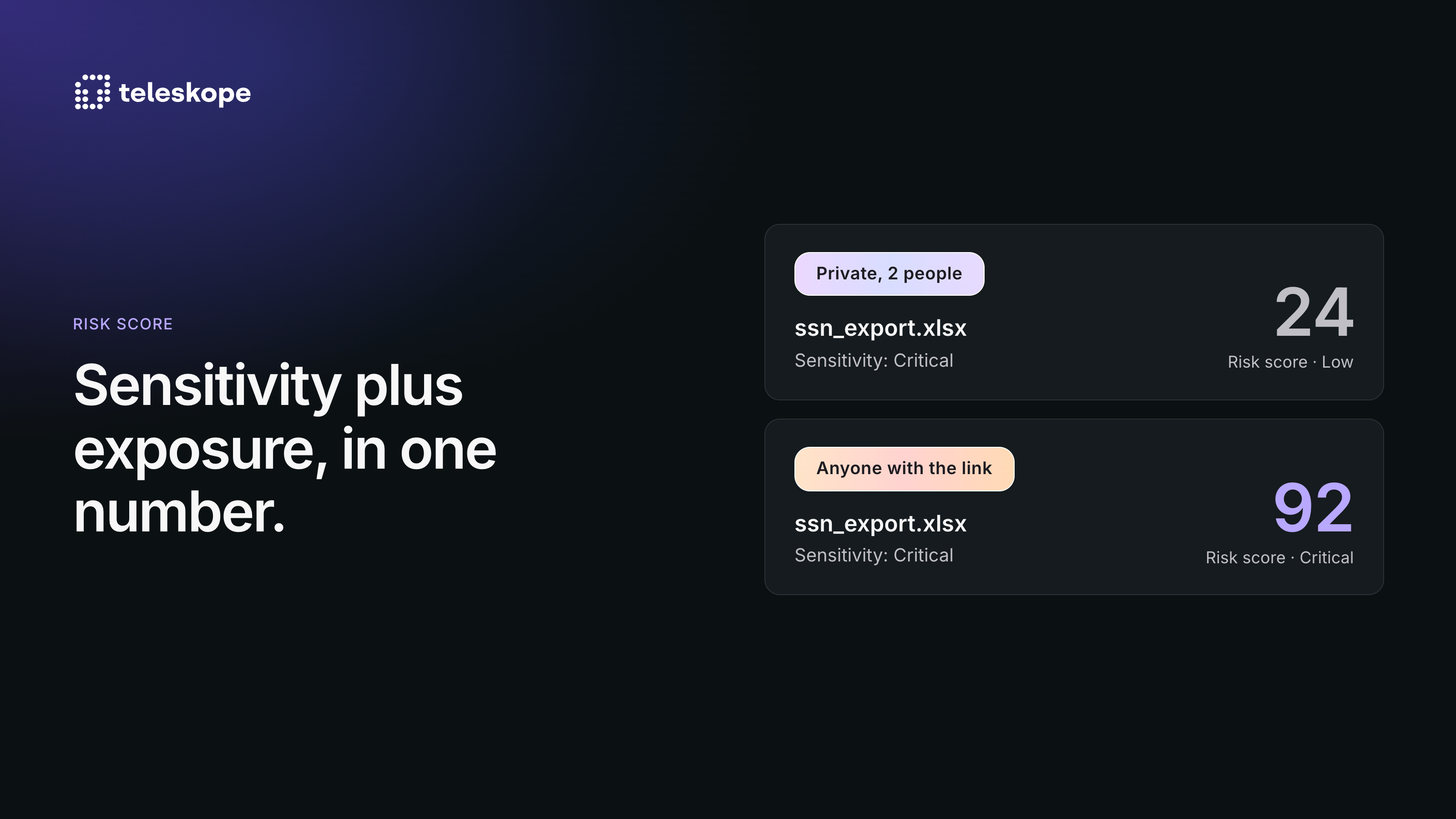
Classification should prioritize sensitivity. Tag PII, PHI, PCI data, and intellectual property first so the highest-risk records get attention before anything else. Context matters here: A test spreadsheet with dummy account numbers is not the same risk as a client folder with real Social Security numbers, even though both might match the same regex pattern.
Govern Access, Retention, and the Data Lifecycle
Once you know what you have, put a governance framework around it. That means assigning clear ownership to datasets, enforcing retention and disposal policies, and running recurring access reviews to curb the permission creep covered earlier.
Lifecycle controls should follow a practical cadence:
- Review and archive stale workspaces: SharePoint sprawl and Microsoft Teams sprawl accelerate when dormant sites and channels sit untouched for months, quietly accumulating sensitive files nobody monitors.
- Remove duplicate and trivial content: Redundant copies inflate your database sprawl and increase what is exposed if a breach occurs.
- Consolidate redundant databases: Shrink the footprint at the source rather than layering controls over data that shouldn't exist in the first place.
If nobody owns a dataset, nobody protects it, and nobody deletes it when it expires.
Move From Periodic Cleanup to Continuous Monitoring
A quarterly cleanup project feels productive, but data sprawl refills faster than any scheduled audit can empty it. The durable answer is continuous, automated monitoring of your data and its security standing. Lifecycle-based control treats sensitive data sprawl as an ongoing operational discipline, not a one-time project with a start and end date.
According to IDC's research on AI-era data security, nearly half of all organizational data is sensitive or confidential, yet most organizations lack the visibility to adequately protect it. That gap only widens when cleanup happens on a schedule instead of continuously.
Take Control of Sensitive Data Sprawl With Teleskope
Most accumulated data isn't generating value, just risk. Teleskope automatically identifies, eliminates, and governs redundant, obsolete, and risky (ROT) data across your environment so teams stop spending hours managing data the organization shouldn't still hold. The platform purges expired data based on your retention policies, relocates sensitive records from unsecured locations to governed repositories, and maintains a continuously updated picture of where sensitive data lives, who owns it, and who can reach it.
Here's how a quarterly audit stacks up against Teleskope's continuous approach across the capabilities that matter most.
Every action Teleskope takes is logged, auditable, and reversible. For edge cases where confidence is lower, the platform routes decisions to a human analyst with full context rather than forcing an incorrect automated action. The result is continuous enforcement instead of quarterly catch-up.
Explore Telescope to see how it finds, governs, and eliminates ROT data across your environment.
{{cs-2="/banners"}}
Data Sprawl Is a Liability, so Treat It Like One
Every unowned SharePoint site, every duplicate database, every sensitive record sitting in a collaboration channel past its retention date is working against you. Data sprawl expands your attack surface, makes compliance harder to maintain, burns budget on storage nobody approved, and drives up the cost of containing a breach. The organizations that actually get a handle on this aren't running bigger quarterly cleanups. They've stopped treating data governance as a project with a start and end date and started treating it as a continuous, automated discipline that's wired into how data moves through the organization.
Pick the environment with the highest risk (whether that's SharePoint sprawl, Microsoft Teams sprawl, or database sprawl across legacy systems), build the inventory, assign ownership, and enforce retention. The sprawl won't fix itself, but the path to fixing it is clear enough once you commit to lifecycle-based control instead of one-off heroics.